An assistant, not a judge
- Four tools in one app — grade with a rubric, adapt a reading to three levels, scan multiple-choice answer sheets, and make quizzes you can present or print. A shared Classes list means you type your students once.
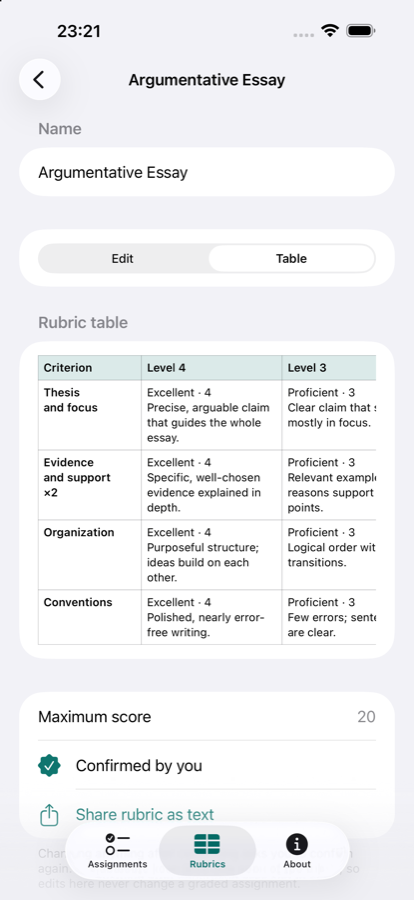
- Your rubric — type it, start from a template, or scan, photograph, import or paste one. You check and confirm every row.
- Student work — paste, import a PDF, or scan typed work, with an editable check-the-text step. Handwriting is best effort.
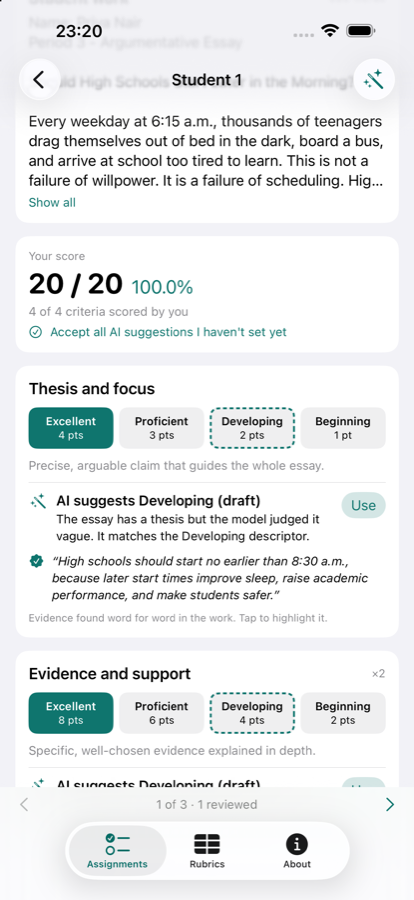
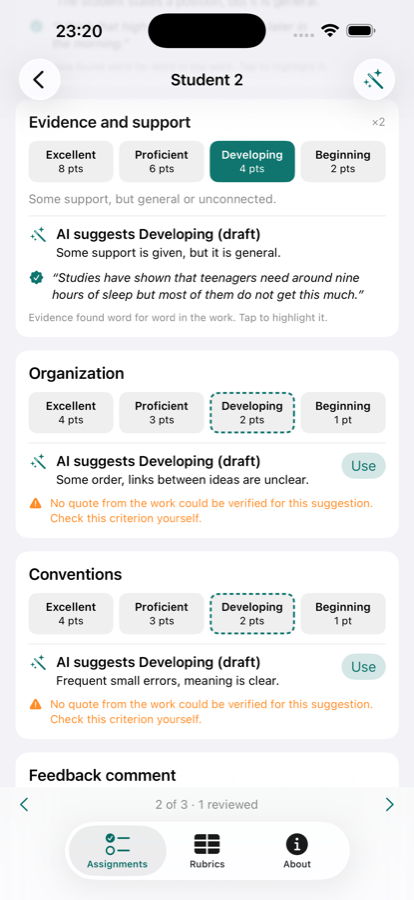
- Suggestions you can verify — a suggested level per criterion with an evidence quote the app checks word for word.
- You score — totals and percentages are calculated by the app from the levels you choose, never by the AI.
- Draft comments — one strength and one next step in your tone and length. Edit freely.
- Export — per-student feedback as PDF or text and class results as CSV, only when you share them.
- Answer sheets — print a bubble sheet, photograph filled sheets with the camera, and grade them against your key. Unclear marks are flagged for you, never guessed silently.
- Reading levels — paste or scan a text and get versions for three reading levels, English learners and supports (Apple Intelligence on your device).
- Quizzes — multiple choice, true/false and short answer; present on a screen or print with an answer key.
- Private by design — on-device processing, no account, no ads, no analytics, no network connection.
Free
Markwise is free to download and use. The app requires iOS 26. AI suggestions and reading-level rewrites need a device with Apple Intelligence; rubrics, scoring by hand, answer-sheet scanning and quizzes work without it.
PrivacyEverything stays on your device
Markwise has no account and no server, and it makes no network connections. Student work, classes, answer sheets and quizzes stay on your device. Read the full privacy policy.
SupportQuestions or feedback
Visit the support page for tips and FAQs, or email g.ekseulidze@gmail.com directly.
More from Openhand Studio

