
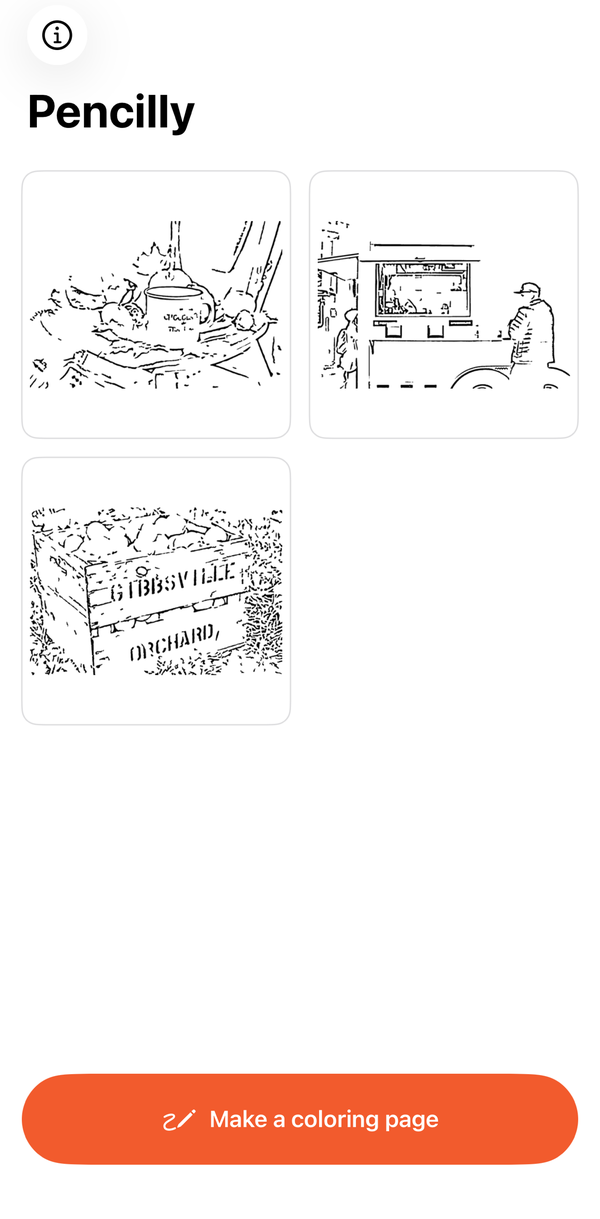
Photo in, coloring page out.
- Line art from any photo — Pencilly finds the edges in your photo and draws them as clean black lines on white. Sliders set how much detail, how bold the lines, and how much cleanup.
- Remove the background — optionally keep only the main subject (a pet, a toy, a person) and outline it, using Apple's on-device subject detection.
- Print or save — print straight from your phone, or share a PDF at US Letter or A4 size. Add a name and date line for the classroom.
- Private — photos are processed on your phone and never uploaded.
Free
Free to download and use, with no account.
Be awareResults depend on the photo
Photos with one clear subject and good contrast work best. Busy scenes, text and low-contrast photos make messy lines; lower Detail and raise Cleanup, or remove the background.
PrivacyNo accounts, no tracking
Read the full privacy policy.
SupportQuestions or feedback
Visit the support page, or email g.ekseulidze@gmail.com.
More from Openhand Studio

